Commercial Production Companies in Los Angeles (2026): 7 Worth Calling

Commercial Production Companies in Los Angeles (2026): 7 Worth Calling

By Yana, founder of AD.JUST · Last checked November 2026

Commercial production companies in Los Angeles range from one-person crews to the houses behind Super Bowl spots, and the price gap between them is enormous. A 30-second product ad can cost $7,000 here or $300,000, and both can be the right call. What matters is matching the company to the job.

I run AD.JUST, a production company in Los Angeles and San Diego, so we're on this list. Read it with that in mind. I've tried to make it useful anyway: below you'll find how the LA market is split, seven companies worth calling, what their published budgets look like, and when each one is the wrong fit.

Three kinds of commercial production companies in Los Angeles

Most people search for "commercial production company" and get a mixed list of very different businesses. The first thing to work out is which kind you actually need.

Agency-level houses like Biscuit Filmworks and MJZ represent directors and usually come in once an agency has already written the idea. Brand-direct studios handle the whole thing for you, from concept to final cut. Product specialists do the same, but they plan the shoot around ad accounts and product pages, so one shoot day produces a hero spot plus the short versions you'll actually run.

What commercial production costs in LA, side by side

These are the budgets each company lists publicly on its own site or on review platforms like Clutch and DesignRush. They aren't quotes. Your price depends on cast, locations, crew size and how many versions you need.

AD.JUST
$7K – $15K+
Lemonlight
$3.5K – $25K+ (all formats)
Tiger House Films
$10K+ minimum
LocalEyes
avg. $50K – $200K
Sandwich
rates not published
Biscuit Filmworks, MJZ
agency budgets, not published
$0$100K$250K+

Bar lengths are rough guides to scale, not exact budgets. Where a company doesn't publish rates, the bar shows where its typical work sits.

Product and DTC commercial production companies

1. AD.JUST Video Production

Los Angeles + San Diego · founded 2014 · 5.0 on Clutch (12 verified reviews) · Verified Amazon Ads Partner

We make commercials for consumer brands that need the ad to sell something. Every shoot is planned so one production day gives you a hero spot plus the cutdowns for paid social, product pages and retail screens. For Churu we made a launch commercial for every new product line, including the Entrée spot that ran with Churu's Petco collab. For Viski, a barware brand, we shot a brand commercial alongside 100+ product videos in four months. One filmed Instagram Reel for Aiper passed 16M+ organic and paid views.

Churu Entrée × Petco · retail commercial
Viski · brand commercial
Aiper · World Cup spot, 100K+ views

Commercial spots and multi-video packages run $7,000 to $15,000 and up per project, and every shoot comes with cutdowns for social and product pages. The same crew writes, shoots and edits. See the full range on our promotional video and commercial production page.

See our commercial work →

Call us if you sell a product and want commercials that also work as ads, listings and social cuts.

Look elsewhere if you need a celebrity director or a national TV campaign through an agency.

2. Lemonlight

Inglewood · founded 2014 · Clutch: $3,500 to $25,000+ per project

Lemonlight is built for volume. It has a studio in LA and a production network across 80+ markets, plus its own platform for planning and approvals. Commercials are one format on a long list, and that Clutch range covers every format, so expect a commercial to sit toward the top of it. The strength here is running the same kind of shoot in many places with one process.

Call them if you need the same spot shot in lots of cities.

Look elsewhere if you want a small team that knows your product and edits for your ad account every week.

Brand-direct commercial studios

3. Sandwich

Downtown Los Angeles · founded 2010 by director Adam Lisagor · rates not published

Sandwich made its name with funny, clear commercials for tech companies like Square, Slack and Figma, often with Lisagor himself on camera. It started with web videos and now makes TV spots too. The team writes its own scripts, which is a big part of why the work is so recognizable.

Call them if you're a software or tech brand and want a commercial with a real comic voice.

Look elsewhere if you sell a physical product and need lots of product shots and versions.

4. Tiger House Films

Hollywood · founded 2011 · Clutch: $10,000+ minimum

Founded by director and producer Jason Kent Carpenter, Tiger House makes commercials and branded content with a bright, modern look. Beauty, fashion and retail brands show up often in their reel.

Call them if your spot has to look polished and stylish, especially in beauty or fashion.

Look elsewhere if you need many quick variations more than one hero film.

5. LocalEyes Video Production

Los Angeles · Clutch: average LA project $50,000 to $199,999

LocalEyes builds video around a marketing strategy, mostly for corporate, educational and promotional use. The budgets tell you who it's for: larger programs with several videos and a plan behind them, not a single ad.

Call them if the commercial is one part of a bigger, strategy-led video program.

Look elsewhere if your budget is under five figures.

Agency-level commercial production companies

These are the companies behind many of the commercials people actually remember. They mostly work with advertising agencies, and you're really hiring a director from their roster.

6. Biscuit Filmworks

Hollywood (Santa Monica Blvd) + London · founded 2000 by director Noam Murro and Shawn Lacy

Biscuit is one of the most awarded commercial production companies in the world, with Cannes Lions, DGA and Ad Age A-List wins. It handles commercials, music videos and experiential work, from Super Bowl spots to global campaigns.

Call them if you have an agency, a big idea and a national budget.

Look elsewhere if you're a brand without an agency or need a spot this month.

7. MJZ

Los Angeles + New York + London · founded by David Zander and Rocky Morton

MJZ represents a roster of well-known directors and has made campaigns for brands like Apple, Nike and BMW. Like Biscuit, it sits at the top of the market and works mainly through agencies.

Call them if the director's name and style are the point of the campaign.

Look elsewhere if you're watching every dollar or need lots of short ad versions.

How to choose a commercial production company in LA

  1. Start with where the ad will run. A TV spot, a paid social campaign and an Amazon listing need different lengths, frames and edits. Tell the company up front.
  2. Ask what one shoot day gets you. A good product commercial shoot should give you a hero spot plus 9:16 and square cutdowns, not just one 30-second file.
  3. Look for work in your category. Food, beauty, tech and pet brands each have their own tricks. Ask to see two or three spots close to yours.
  4. Get the quote broken down. Crew, cast, locations, permits and edit rounds should be separate lines, so you can compare companies fairly. Our video production cost guide shows what each line usually costs.
  5. Check permits and insurance. Most public locations in Los Angeles need a permit from FilmLA. A real production company will handle that, plus insurance and talent releases.

If you're also comparing teams for ongoing short-form ads, see our list of social media video production companies in LA.

What LA commercial production really costs

Budgets in Los Angeles grow with three things: who's on camera, where you shoot and how many versions you need. A simple product spot with one location and no actors can be done for a few thousand dollars. Add union actors, a studio, permits for a street shoot and a director with a name, and you're quickly into six figures.

California also offers film and TV tax credits through the California Film Commission, though they're aimed at features and series more than short commercials. For most brands, the bigger saving comes from planning one shoot that covers every placement instead of booking separate shoots for TV, social and product pages. That's how we run every commercial and promotional video shoot, and how we made a launch spot for each new line in the Churu case study.

Get a quote for your commercial

AD.JUST is a commercial production company in Los Angeles and San Diego. Since 2014 we’ve made commercials and product videos for Churu, Viski, Aiper and LeShuffler, and one crew handles the script, the shoot and the edit.

Tell us what you’re selling and where the ad will run. We’ll send back a plan and a written estimate within 24 hours. Want to see more first? Browse our commercial and promotional video work.

Commercials from $7,000Hero spot + social cutdowns5.0 on Clutch · 12 reviews

Commercial production companies in Los Angeles: FAQ

How much does a commercial cost in Los Angeles?

A commercial with a brand-direct studio usually runs $7,000 to $15,000 and up, depending on actors, locations and how many versions you need. National campaigns through agency-level houses often cost six figures. Our video production cost page breaks down the main line items.

What are the best commercial production companies in Los Angeles?

It depends on the job. Biscuit Filmworks and MJZ lead the agency-level market. Sandwich, Tiger House Films and LocalEyes work directly with brands. AD.JUST and Lemonlight focus on product and DTC commercials that also need to run as ads and social cuts.

What's the difference between a production company and an ad agency?

An ad agency comes up with the campaign idea and media plan. A production company films and edits it. Agency-level houses wait for an agency's script, while brand-direct studios like AD.JUST write the concept and script themselves, so you don't need an agency at all.

How long does it take to make a commercial?

Most brand-direct commercials take three to six weeks from first call to final files: about two weeks of planning and script, one or two shoot days, and one to two weeks of editing and revisions.

Do I need a permit to film a commercial in Los Angeles?

Usually yes for public streets, parks and most outdoor locations. Permits in the City and County of Los Angeles go through FilmLA. Studio and private-location shoots may only need the owner's permission. Your production company should handle this.

Can one commercial shoot cover TV, social and Amazon?

Yes, if it's planned that way. We shoot a hero spot plus vertical and square versions and product close-ups in the same day, so you get cuts for paid social, product pages and retail screens from one budget.

Do you work with brands outside Los Angeles?

Yes. AD.JUST has crews in Los Angeles and San Diego and works with brands across the US. Many clients send products to our LA studio and never need to fly in.

What does AD.JUST charge for a commercial?

Commercial spots and multi-video packages run $7,000 to $15,000 and up per project, including social and product-page cutdowns from the same shoot. See examples on our promotional video production page.

Advertising Production: How a Campaign Actually Gets Made (2026 Guide)

Advertising Production: How a Campaign Actually Gets Made (2026 Guide)

Viski, "Wherever you set your bar." One of 100+ videos we produced for the brand in four months.

Advertising production is everything between "we need an ad" and a file that's ready to run: the idea, the script, the shoot, the edit and all the versions each platform wants. Most guides describe it as five neat steps. In practice the steps overlap, and the budget is won or lost in the first one.

I've run AD.JUST since 2014, and we've made ads for Churu, Viski, Aiper and a long list of product brands. This guide walks through how a campaign actually moves through production, what you'll be asked to approve along the way, where money tends to leak, and what it costs in Los Angeles right now. If you're about to hire a production company for the first time, it should help you ask better questions and spot a weak plan early.

The advertising production process, stage by stage

Every company names these stages a little differently, but the work underneath is the same. What changes from project to project is how much time each stage gets. A 15-second product ad might spend two days in pre-production. A commercial with actors and a studio might spend three weeks there.

1
Week 1 · Brief and concept

Decide what the ad has to do

One goal per ad. "Sell the new flavor to people who already buy from us" is a goal. "Brand awareness and sales and recruiting" is three ads pretending to be one. We start with a short brief that covers the goal, the audience, where the ad will run, the budget and the deadline. From there we pitch two or three concepts, each with a rough hook for the first few seconds.

Your job at this stage is to pick one concept and agree on the list of deliverables: how many videos, what lengths, which formats. It sounds like paperwork, but it's the single most important decision in the project. The most common budget leak we see is adding "just one more version" after the shoot has already been planned around a different list.

2
Weeks 1–3 · Pre-production

Plan the shoot down to the shot

This is where the script gets written and the shoot gets planned in detail: shot list, storyboard, casting, location or studio, props, wardrobe and product prep. It's the unglamorous part of advertising production, and it decides whether the shoot day runs smoothly or burns through overtime.

You'll approve the script, the talent, the wardrobe and the shot list. Take your time here. Changing the script on set is expensive, because every rewrite keeps a full crew waiting. A change that costs nothing on paper in week two can cost a few thousand dollars on the shoot day.

3
1–2 days · Production

Shoot everything you'll need, in every shape

On set we frame for vertical and horizontal at the same time, grab extra hooks and alternate openings, and get close-ups and product beauty shots between the main takes. We also shoot stills when there's a gap. Going back for a missed shot later costs far more than ten extra minutes on the day, so a good crew shoots for the edit, not just for the script.

If you can be on set, come. Watching takes on the monitor lets you catch a wrong label or an off-brand line before it's baked into the footage. The main risk on shoot day is trying to fit too many setups into one day, which pushes everyone into overtime and rushes the shots that matter most.

4
1–3 weeks · Post-production

Edit, color, sound and graphics

Post-production starts with a rough cut. You send notes, we deliver a second cut, and then the ad goes through color grading, music, sound design, captions and on-screen text. Two rounds of notes is normal. Five rounds usually means the brief wasn't really settled back in stage one.

Keep the review group small. The quickest way to stretch post-production is to send a cut to people who weren't part of the brief. Their notes are often reasonable, but they reopen decisions that were already made.

5
Ongoing · Versions and testing

Cut it for every placement, then test

The finished hero ad is only the start. A 30-second spot becomes 15-second and 6-second cutdowns, vertical versions with different first seconds for TikTok and Reels, and still frames for static ads. Then the ads go live, and the numbers tell you which hook is working so you can make more of it.

This is where a lot of brands overspend without noticing. They pay for a brand-new shoot when the footage for the next round of versions is already sitting on a hard drive.

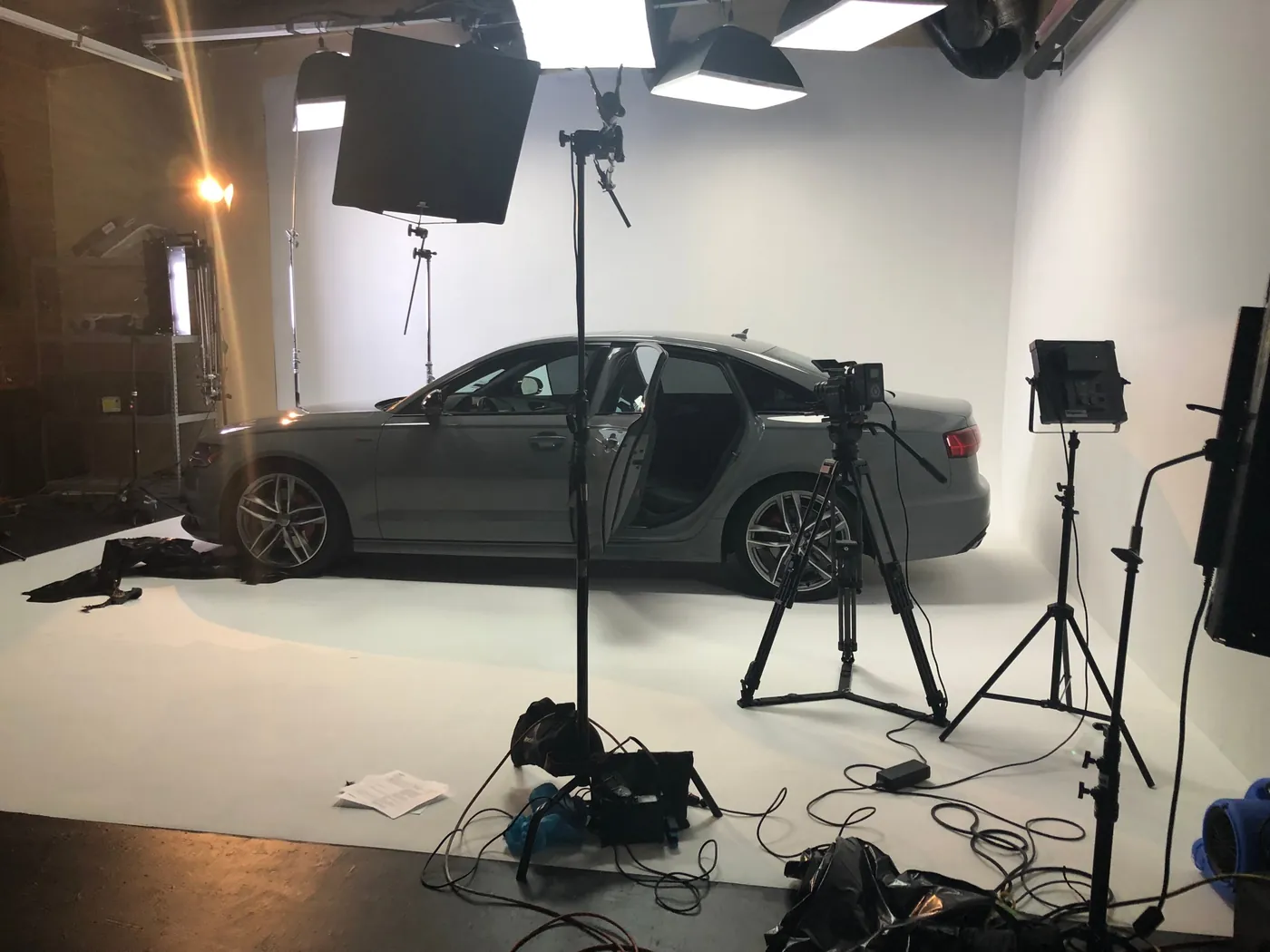
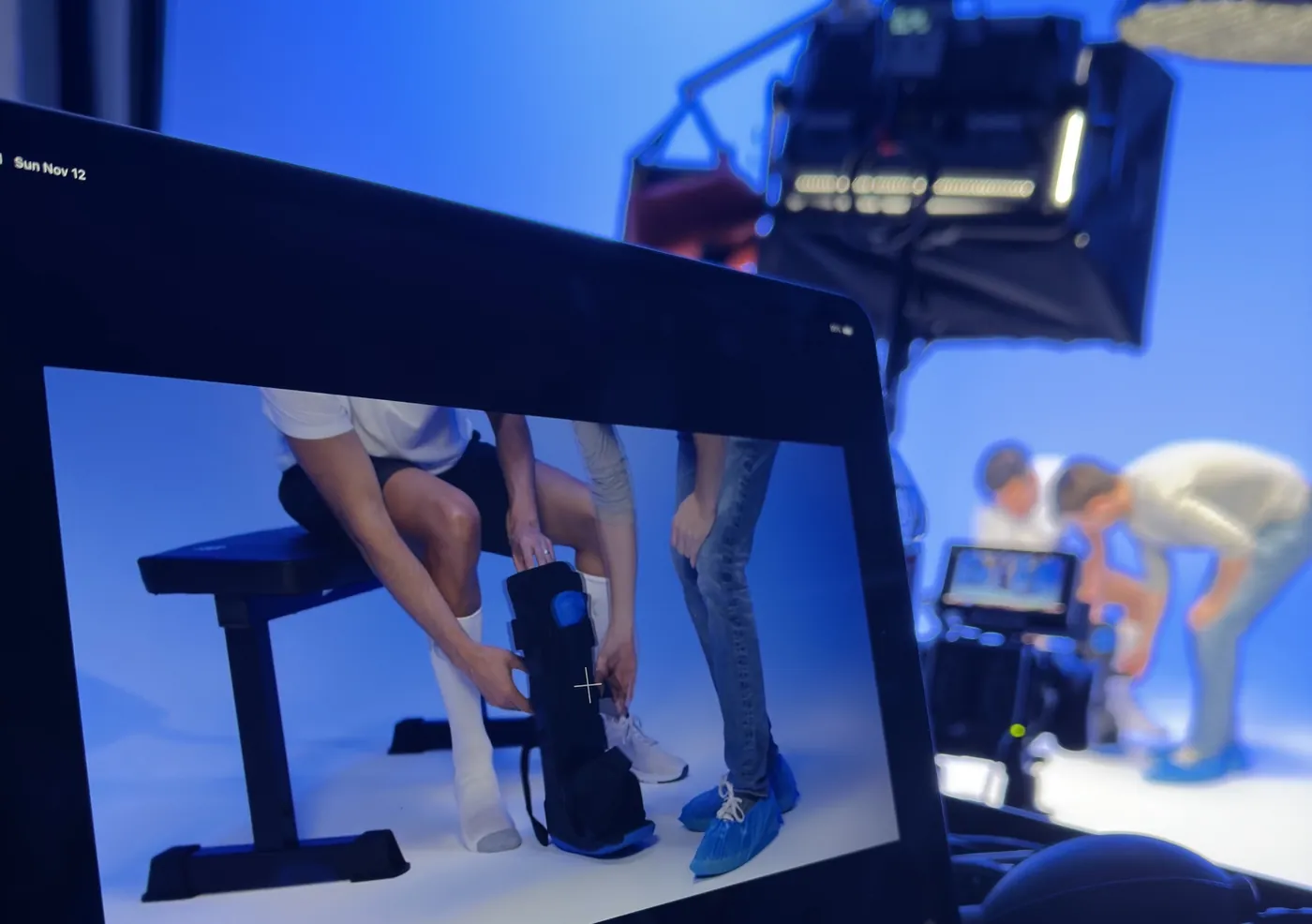
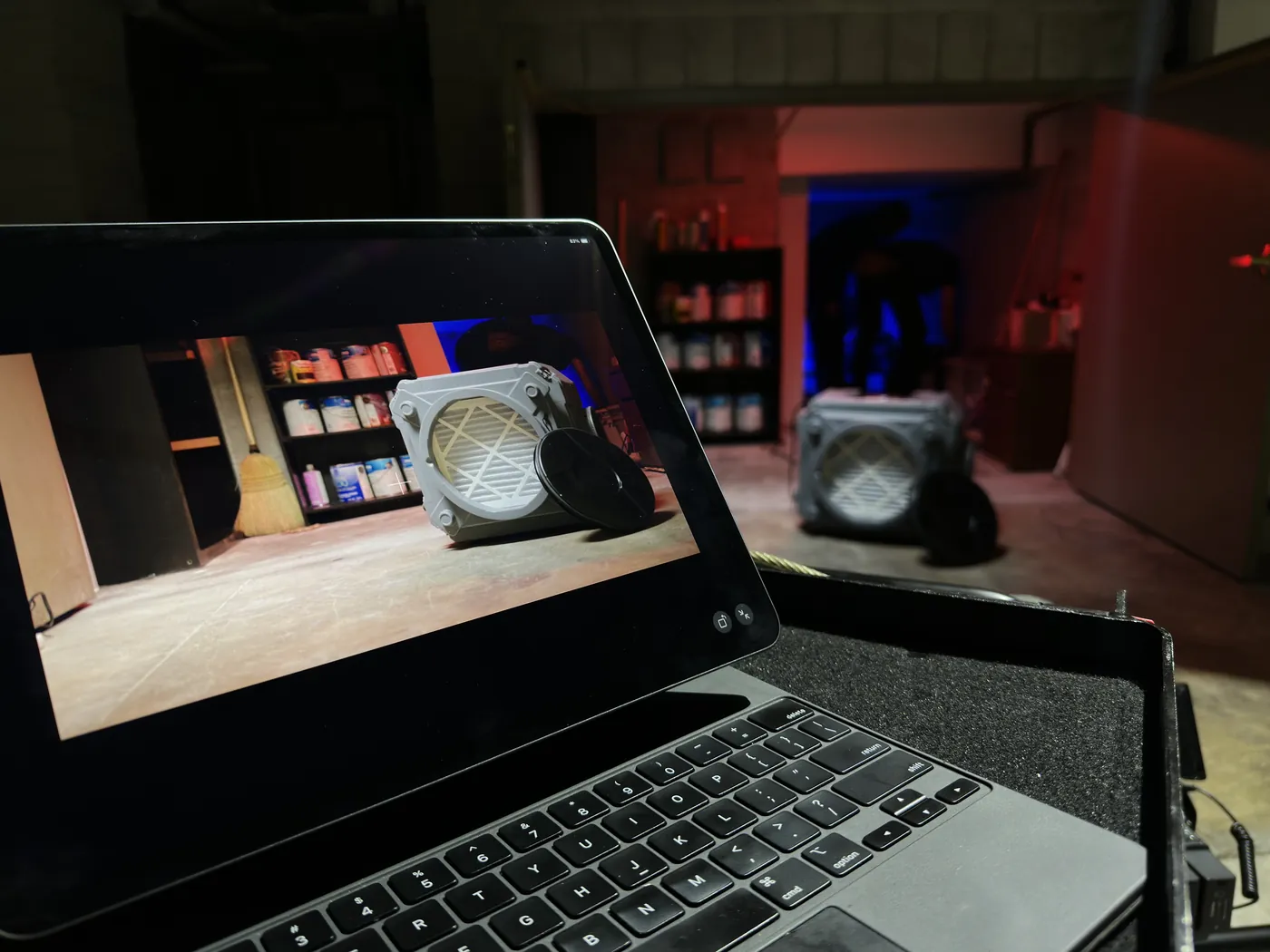
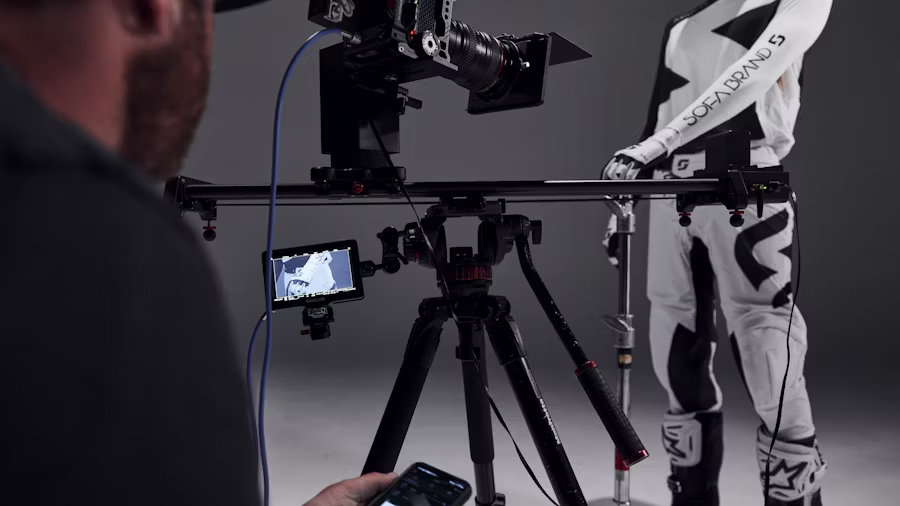
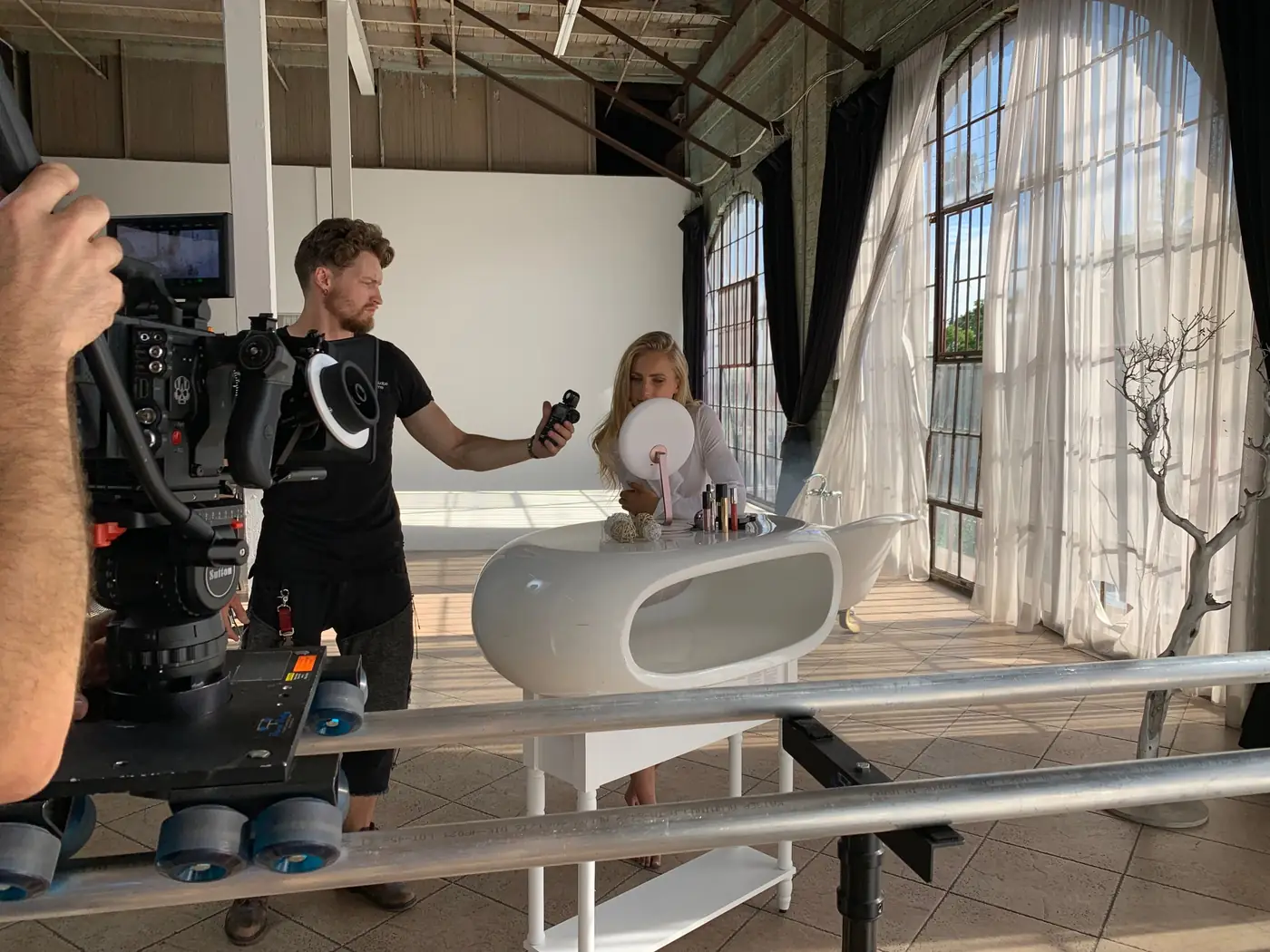
Advertising production on a beauty product set in Los AngelesCar commercial being filmed in a studioProduct demo shoot for an ad campaignReviewing a product shot on the monitor during an ad shoot

On set with our crew: a beauty set, a car in studio, a product demo and a monitor check.

One shoot can feed a whole campaign

If there's one idea worth taking from this guide, it's this: plan the versions before the camera rolls. A single well planned shoot day can give you a hero ad and most of the smaller pieces a campaign needs. For a typical product brand that list looks something like this:

  • A 30-second hero for YouTube, connected TV and your website
  • 15-second and 6-second cutdowns for pre-roll and paid social
  • Three or more vertical versions with different opening hooks
  • Product close-ups for Amazon and product pages
  • Stills for static ads and email

That approach is how we delivered 100+ videos for Viski in four months without anything close to a hundred shoot days. The Churu case study shows the same thinking applied to retail commercials for Petco.

Production-only vs end-to-end advertising production

This question comes up in almost every first call, and the answer depends on who on your side owns the idea.

Production-only means you bring the concept and script, usually from your agency or in-house creative team, and the production company plans the shoot, films it and edits it. It costs less and starts faster. It works well when your creative is strong and already approved.

End-to-end means one team handles everything from the first idea to the final files for every platform. You pay more up front, but there are fewer handoffs and less gets lost between teams, so revisions tend to be shorter. It's the better fit when you know what you need the ad to do but don't have a script yet. We do both, and most product brands that come to us without an agency choose end-to-end.

What advertising production costs in Los Angeles

These are our own published rates, so you have real numbers to plan with. Other LA companies will land higher or lower depending on crew size, gear and how much creative work they take on.

Short branded ad, 15–60 seconds$2,500–$7,000
Larger commercial with script, casting and studio$7,000–$15,000+
Typical full campaign project$8,000–$15,000+
One DP with a RED cinema camera, per day$1,400
Full crew day (DP, gaffer, sound, or two shooters for an event)$3,000+
Social cutdowns from existing footagefrom $400

Media buying is separate from production. If you want a number for your own idea, the video production quote form is the fastest route. For ad-heavy social programs, see our social media video production page, and for TV-style spots, our commercial video production page.

Making TV-quality ads without a TV budget

A tight budget doesn't have to look cheap. Most of the savings come from decisions made before the shoot. Shoot in one location with two or three looks instead of moving the crew between three locations. Use your product and real customers before you spend on a famous face. Lock the script before the shoot, because changes on set are the most expensive changes in the whole process.

Plan your cutdowns and vertical framing in pre-production so the editor doesn't have to fake them later. And if you have to choose where to spend, spend on light and sound. Viewers forgive a simple set. They don't forgive bad audio.

Advertising production FAQ

What is advertising production?

Advertising production is the work of turning an ad idea into finished files: concept, script, pre-production, the shoot, editing and the versions each channel needs. It covers TV commercials, online video ads, social ads and product videos.

How long does advertising production take?

A simple ad can be done in two to three weeks. A commercial with casting and a studio usually takes four to six weeks from brief to final files. Most of that time is planning and editing, not the shoot itself.

What makes a video ad effective?

A clear single message, a hook in the first second or two, the product on screen early, and a version cut for each placement. Then testing: the first edit is rarely the best performer.

How much does it cost to produce a commercial in LA?

Short branded ads start around $2,500. Commercials with a script, casting and studio usually run $7,000 to $15,000 or more. Media buying is separate.

What's the best practice for efficient campaign content production?

Plan every version before the shoot, batch similar shots together, and keep approvals with the people who wrote the brief. That keeps one shoot day productive and revisions short.

Make your next ad with AD.JUST

We’re a Los Angeles and San Diego video production company, making ads for product brands since 2014. One crew takes your campaign from concept to the last vertical cutdown, so nothing gets lost between teams.

Tell us what you’re selling, where the ad will run and when you need it. We’ll come back with a plan and a price.

5.0 on Clutch · 12 reviews16M+ views on one Aiper Reel100+ Viski videos in 4 monthsVerified Amazon Ads Partner

Kickstarter Video Tips: 9 Things Funded Campaigns Get Right

Kickstarter Video Tips: 9 Things Funded Campaigns Get Right

The Kickstarter video tips that matter most are a hook in the first five seconds, the founder on camera, the product working on screen, and a runtime of about two minutes. Everything else on this list makes those four land harder.

I'm Yana, and I run AD.JUST, a Kickstarter video production studio in Los Angeles. We filmed the LeShuffler campaign that hit 453% of its goal and the DIGGS Eventur video that raised $300,000 on a $25,000 target. These tips come from those shoots and from the campaigns that didn't go as planned.

453%LeShuffler: €104K raised on a €23K goal
$300KDIGGS Eventur, on a $25K goal

1. Hook people in the first five seconds

Most visitors decide whether to keep watching before your logo would even finish animating. Open on the problem or on the product doing something surprising. Save the brand card for the end.

Some openings that work well: the frustrating moment your product fixes, shown in a few seconds with no narration. A before-and-after. The product doing the one thing nobody has seen a product do. A founder saying one honest line straight to camera, like "I spent three years trying to fix this." What doesn't work is a slow pan across a city skyline, a mood montage or a title card that says your company name. Those cost you viewers before you've said anything.

Test your hook by muting the video and watching only the first five seconds on your phone. If a stranger couldn't tell what the product is or why it matters, rework the opening.

2. Put the founder on camera

Backers are funding people as much as a product. A founder speaking plainly for 20 or 30 seconds builds more trust than any voiceover. You don't have to be a natural on camera. A good director will get a relaxed take out of you, usually by asking questions instead of handing you a script.

Keep the founder section short and specific. Backers want to know who you are, why you care about this problem and why you're the right person to deliver. A sentence about the moment you decided to build it is worth more than a minute about your company values. If there's a team, show them working: at the bench, testing samples, packing prototypes. It tells people there's a real operation behind the page.

3. Show the product working, not a render of it

Kickstarter asks hardware and product creators to be honest about where the product stands. Check the current rules in the Kickstarter Creator Handbook before you plan your shots. Real footage of a working prototype also simply converts better: people want to see it in a real hand, in a real room.

If the prototype isn't final, say so and show it anyway. Backers on Kickstarter are used to buying early. What they don't forgive is finding out later that the slick render in the video looked nothing like what arrived. Honest footage of a working sample, plus a clear note on what's still changing, protects your reviews and your comment section after the campaign.

LeShuffler: the product working on screen from the first seconds. 453% funded.

4. Keep it around two minutes

How long should a Kickstarter video be? Long enough to show the problem, the product, the people and the ask. For most product campaigns that is 90 seconds to three minutes. If yours runs longer, it usually means two videos are fighting inside one edit.

A structure that works for most product campaigns looks like this:

SectionRough lengthWhat it does
Hook0 to 5 secondsProblem or product moment that stops the scroll
Problem15 to 20 secondsWhy existing options fall short
Product in action40 to 60 secondsReal use, key features, close details
Founder and team20 to 30 secondsWho you are and why you built it
Proof10 to 20 secondsTesting, early users, press, numbers
The ask10 to 15 secondsWhat backers get and why now

5. Pick a thumbnail that explains itself

The thumbnail is the first frame most people see on the campaign page and in shares. Use a clear shot of the product in use, not a logo or a dark frame.

Look at your thumbnail at the size it appears in a Kickstarter search result. If the product disappears at that size, crop tighter. Faces help too, as long as the product is still clear.

6. Prove it, don't claim it

"The most comfortable crate ever made" means nothing. A dog walking straight into it and lying down means a lot. Every claim in the script should have a shot that backs it up.

Go through your script line by line and ask "what will people see while this is said?" If the answer is "a logo" or "b-roll of the office", either cut the line or plan a shot that proves it. Durability can be a drop test. Easy setup can be one continuous take of someone unboxing and using it. Quiet can be a sound meter next to the product. These shots take planning but they do more work than any adjective.

DIGGS Eventur: $300K raised on a $25K goal.

7. Make the ask clear

Say what backers get, roughly when, and why backing now matters (early-bird pricing, a limited first batch). One clear sentence near the end beats a long rewards walkthrough. The page can handle the details.

Mention the timeline honestly. If shipping is planned for a specific season, say it. Underpromising and delivering early earns you a much better comment section than the other way around.

8. Cut the social versions at the same time

The main video lives on the campaign page, but most traffic comes from ads and social posts. Shoot vertical-friendly moments on the same day and cut 15 and 30 second versions in the same edit. It costs far less than going back for a second shoot.

Plan these cuts before the shoot, not after. A pre-launch ad that drives email signups needs a different hook from a mid-campaign ad that pushes the funding percentage. A short "we're live" clip for your own social channels is different again. One well-planned shoot day can cover all three if the shot list includes vertical framing and a few standalone hook moments.

9. Book the shoot six to eight weeks before launch

You need time for the script, the shoot, the edit, notes, and the pre-launch ads that build your email list. Rushed campaign videos almost always show it. A rough timeline: two weeks for concept, script and product prep, one to two shoot days, two to three weeks for editing and notes, then the remaining time for pre-launch ads. If you're also waiting on prototype samples, add a buffer. Late samples are the most common reason campaign shoots slip. For budgets, see our guide to Kickstarter video costs, and for inspiration, our list of the best Kickstarter videos.

DIY or hire a studio?

Plenty of campaigns fund with a video shot on a phone, and some of the most charming ones look homemade on purpose. If your product is simple, your budget is tight and you have someone who can light a room and record clean audio, doing it yourself is a real option. Spend your money on a decent microphone before anything else. Bad sound loses viewers faster than average picture.

Hiring a studio makes more sense when the product needs to look premium, when you're planning to spend serious money on ads, or when you need the footage to keep working after the campaign for your store, Amazon listing and retail pitches. In that case the video isn't only for Kickstarter. It's the first batch of marketing content for the whole product launch, and the cost spreads across all of those uses. Our post on using Kickstarter videos for marketing goes through how one shoot can feed all of them.

Whichever way you go, the tips above still apply. A clear hook, a real product, a real founder and a clear ask will beat expensive production with none of those.

Common Kickstarter video mistakes

  • A long intro before anyone sees the product
  • Only renders, no real footage of a working prototype
  • A founder reading a script word for word
  • Stock music so loud you can't hear the people talking
  • No captions, even though many people watch campaign videos on mute
  • Explaining every reward tier in the video instead of on the page
  • No vertical cuts, so ads have to be re-edited from footage that wasn't framed for them

Kickstarter video tips for a pre-launch checklist

Before your shoot day, make sure you have working samples (plus spares), a script with a clear hook, a shot list that includes vertical framing, a location that fits the product's real use, and a decision on who appears on camera. After the edit, check the video on a phone with the sound off, check captions, check the thumbnail at search-result size, and make sure the ad cuts are ready the day the page goes live. Kickstarter's own guidance on telling your project's story is worth reading alongside this list.

Want to see how one campaign came together from first call to funded? Read the LeShuffler case study.

Get a quote for your campaign video

AD.JUST Video Production is a Los Angeles studio that has filmed crowdfunding videos for LeShuffler (453% funded), DIGGS Eventur and Cytrance. One team writes, shoots and edits the main video and the social cuts.

Tell us your launch date and what you are building. We will send a plan and a price.

453% funded: LeShufflerMain video + social cuts5.0 on Clutch · 12 reviews

Kickstarter video tips FAQ

How long should a Kickstarter video be?

Most product campaigns work best at 90 seconds to three minutes. Open with a hook, show the product working, introduce the team and end with a clear ask.

Should the creator appear in the Kickstarter video?

Yes, in most cases. Backers fund people as well as products, and a founder speaking plainly builds trust that a voiceover can’t.

Can I use renderings in my Kickstarter video?

Kickstarter asks product creators to be honest about the product’s current state, so check the Creator Handbook before you plan. Footage of a working prototype is the safest and most convincing choice.

When should I film my Kickstarter video?

Six to eight weeks before launch. That leaves time for the edit, notes and pre-launch ads. See our Kickstarter video cost guide for budgets.

Do you produce Kickstarter videos outside Los Angeles?

Yes. We have crews in Los Angeles and San Diego, and many founders ship their prototypes to our LA studio. See our Kickstarter video production page.

How to Make Amazon Product Videos: A Step-by-Step Guide (2026)

How to Make Amazon Product Videos: A Step-by-Step Guide (2026)

To make Amazon product videos that sell, decide where the video will run, build the shot list from your customers' real questions, open on the product, edit so it works on mute, and export to Amazon's upload spec.

We've made hundreds of these at AD.JUST, including 100+ videos in four months for Viski's catalog. This is the process we follow on every Amazon product video production, written so you can use it yourself or know what to ask a studio for.

100+videos in 4 months for Viski
4x ROASclient result on Amazon PPC with Sponsored Brands video

Step 1: Pick the placement

PlacementJobTypical length
Listing videoAnswer questions, show it working30 to 90 seconds
Sponsored Brands videoStop the scroll in search results15 to 30 seconds
A+ or brand store videoBrand story and range30 to 120 seconds

Start with the listing video. It's seen by everyone who's already interested, it keeps working for as long as the product is on sale, and the same footage can be re-cut for ads later. If budget allows only one video, this is the one.

Step 2: Build the shot list from customer questions

Read your reviews, your questions and answers, and your competitors' one-star reviews. Every repeated question is a shot. Does it fit in a small kitchen? Show it there. Is it hard to clean? Show someone cleaning it in ten seconds.

Turn that research into a simple list with three columns: the question, the shot that answers it and the on-screen text. A kitchen gadget might end up with eight or ten rows: dishwasher safe, fits a standard drawer, one-handed use, what's in the box, how to store it. That list becomes your shot list, your edit order and your script all at once. It also stops the shoot from drifting into pretty shots that don't help sell anything.

Write down the props, surfaces and settings you need for each shot too. If the product is used in a kitchen, you need a kitchen that looks like your buyers' kitchens, not a showroom. If it's for pets, you need a calm, well-behaved animal and a handler, which takes longer to book than people expect.

Step 3: Open on the product

The first frame often acts as the thumbnail, and the first three seconds decide whether people keep watching. Start close on the product doing its main job.

For a listing video, a strong opening shot is usually the product in motion: pouring, folding, spinning, clicking into place. Static hero shots look nice in photos but feel slow in video. If your product doesn't move, move the camera or the hands around it. And keep the first frame clean, without text covering the product, because that frame is often what people see before they tap play.

Viski citrus press: the product at work from the first shot.

Step 4: Shoot studio, lifestyle and how-to footage

Studio shots show detail and finish. Lifestyle shots show who it's for. How-to shots remove doubts about setup and use. Most listing videos need all three, and they can usually be shot in one day.

On the day, shoot the studio shots first while the products are pristine, then move to lifestyle and how-to setups. Have spare units ready. Anything that gets filled, opened, assembled or used on camera will look worn by the afternoon. Shoot a few extra takes of the opening shot from different angles, because you'll want options in the edit.

Shoot wider than you need on key shots so the editor can crop for vertical and square versions later. It costs nothing on the day and saves a reshoot when you decide to run the footage as social ads.

Equipment and setup

If you're doing it yourself, the basics go a long way: a solid tripod, a clean seamless backdrop or real location, soft even lighting from two sides, and a camera or phone that shoots at least 1080p. Lighting matters more than the camera. Reflective products like glass, metal and glossy plastic are the hardest to light, and that's where a professional crew usually earns its fee.

Obsidian Glassware: studio detail.
DIGGS Evolv crate: lifestyle with a real dog.

Step 5: Edit for mute viewing

Put the main benefits on screen as short text, keep each shot short, and make sure the story still makes sense with the sound off. Then add music and voiceover for the people who do turn sound on.

Keep the pace steady. Two to four seconds per shot is a good range for most listing videos, with longer holds on the moments that answer a big question. Use the same font, text size and position for every on-screen line so it reads as one system. Don't add a long logo at the start. If you want branding, a small logo in a corner or a short end card is plenty.

Step 6: Export to Amazon's spec

Amazon's guidance for seller-uploaded videos lists MP4 or MOV, up to 1080p and up to 5 GB. Shoot in higher resolution if you like, but export to the listed spec.

Also export with the aspect ratio you shot for. Horizontal 16:9 is the safe default for listing videos. Check the file on a phone before uploading: colors, text size and audio levels can all look different on a small screen.

Step 7: Upload it in Seller Central

In Seller Central, go to Catalog, then Upload and Manage Videos, and attach the video to the right ASINs. Amazon's product video guide covers the steps and display rules.

Add a clear title that describes what the video shows, because shoppers can see it. Something like "How the citrus press works" is more useful than "Product video final v3". If you have several videos, put the one that best explains the product in the first slot. Approval usually takes a short while. If a video is rejected, the reason is often a claim, a price or an off-Amazon reference, so check the script first.

Step 8: Check the results and cut new versions

Compare conversion before and after the video went live, and test a shorter cut as a Sponsored Brands ad. Small changes to the opening often make the biggest difference. Before you upload, run through our list of Amazon listing video mistakes.

How to make Amazon product videos on a budget

If you're launching your first product, you don't need a full crew to get a useful listing video. Focus on the questions buyers ask, shoot in good natural light, keep the product clean and the background simple, and edit tightly with clear on-screen text. A short, honest video that shows the product working beats no video at all, and it beats an overproduced one that never shows what matters.

Where it makes sense to bring in a studio is when you're scaling: many SKUs, premium products where finish matters, or ad spend large enough that small gains in conversion pay for the production many times over. That's where a planned shoot day with a crew pays off, because the cost per finished video drops when you film many products in one session.

A sample shot list for a kitchen product

Buyer questionShotOn-screen text
What does it do?Product in use, close, first 3 secondsJuice a lemon in one squeeze
Is it sturdy?Hands pressing hard, no flexSolid stainless steel
Is it easy to clean?Rinse under tap, into dishwasherDishwasher safe
How big is it?In a hand, next to a lemonFits in a drawer
What's in the box?Flat lay of contentsPress plus seed strainer

Five rows, five shots, one clear 40-second video. Most products need between five and ten rows like these.

Prefer to hand it off? See our e-commerce product video work and video production pricing.

Get a quote for Amazon product videos

AD.JUST Video Production is a Verified Amazon Ads Partner in Los Angeles. We made 100+ product videos in 4 months for Viski, plus listing and ad videos for Aiper, Airrobo and DIGGS.

Send us your ASIN or product page and we will send a plan and a price.

Verified Amazon Ads Partner100+ videos for Viski5.0 on Clutch · 12 reviews

Amazon product video FAQ

What format should an Amazon product video be?

Amazon’s guidance for seller-uploaded videos lists MP4 or MOV, up to 1080p and up to 5 GB.

How do I add a video to my Amazon listing?

In Seller Central, go to Catalog, then Upload and Manage Videos, upload the file and link it to your ASINs.

How long should an Amazon product video be?

Listing videos usually work best at 30 to 90 seconds. Sponsored Brands video ads are shorter, often 15 to 30 seconds.

Can one shoot cover several Amazon videos?

Yes. We usually shoot studio, lifestyle and how-to footage in one day and cut listing, ad and A+ versions from it. See our Amazon product video production page.

Product How-To Video vs UGC Review: Which One Sells More?

Product How-To Video vs UGC Review: Which One Sells More?

A product how-to video wins when people hesitate because they aren't sure how something works or whether they can set it up. A UGC review wins when they need social proof from someone like them. Most brands need both, for different places.

At AD.JUST we make both kinds. Our how-to videos for Airrobo run on product pages and Amazon listings, and our creator-style ads run on TikTok and Instagram. Here's how to decide which one your product needs first.

What a product how-to video does

A how-to video shows setup and use, step by step. It answers the questions that would otherwise end up as returns or one-star reviews. It works best on product pages, Amazon listings and in post-purchase emails.

The best product how-to videos are boring in a good way. One clear step per shot, the hands and the product filling the frame, short on-screen text naming each step, and no clever transitions that hide what's actually happening. If someone pauses on any frame, they should know exactly what to do next.

A simple structure works for most products:

  1. What's in the box, laid out so people can check nothing is missing.
  2. Setup, one step at a time, in the real order a customer would do it.
  3. First use, showing the result the customer bought it for.
  4. Care, cleaning or charging, which is where many one-star reviews come from.
  5. One or two common mistakes and how to avoid them.

Keep it as short as the product allows. A humidifier might need 45 seconds. A robotic pool cleaner with an app, a charging dock and a filter basket might need three minutes, and that's fine, because people watching a how-to video are already interested. They'll stay if every second is useful.

Airrobo PC100: a how-to video that answers setup questions before people buy.

What a UGC review does

A UGC review is a real-looking person talking about their experience. It borrows trust. It works best in paid social and at the top of the funnel, where people don't know your brand yet. Read more on our UGC video page.

What makes a UGC review work is believability. The person should look like a customer, film somewhere that looks lived-in, and talk about specific moments: the first time they used it, what surprised them, what they'd tell a friend. Generic praise like "I love this product, it's amazing" does nothing. Specific details do the persuading. The hook matters too. The first second has to stop the scroll, which is why creator-style ads often open mid-action or with a blunt statement rather than an introduction.

Be careful with claims. If a creator says the product fixed a health problem or doubled their results, that's a claim your brand is making, and ad platforms and regulators treat it that way. The FTC's guidance on endorsements and reviews is short and worth reading before you brief anyone.

Side by side

How-to videoUGC review
Main jobRemove doubt about useBuild trust fast
Best placeProduct page, Amazon, emailTikTok, Reels, paid social
LifespanLong, until the product changesShort, ads fatigue in weeks
What it needsClear shots, steps, on-screen textA believable person, a strong hook

Which one first?

  • Complex product or setup: how-to first. Pool robots, groomers, shower heads, anything with parts.
  • Simple product, crowded category: UGC first. Beauty, snacks, accessories.
  • High return rate: how-to first. It's usually a sign people don't understand the product.

Look at your reviews and support tickets before deciding. If the complaints are "hard to set up", "didn't know it needed to charge first" or "missing parts" (when nothing was missing), you need a how-to video. If the product is easy and the reviews are good but sales are slow, the problem is attention and trust, and that's where creator-style ads help. Your own data usually makes the decision for you.

Airrobo humidifier: setup in under a minute.
Dual shower head: installation how-to for e-commerce.

Examples by product type

Pool and cleaning robots. How-to first, every time. Customers need to know how to charge it, drop it in, clean the filter and use the app. A three-minute tutorial on the listing saves a lot of support emails. Creator-style clips come later, showing the satisfying before-and-after.

Beauty and skincare. UGC first. Application is usually simple, and buyers want to see the product on real skin, in real light, from someone they can relate to. A short "how to apply" clip still helps on the product page, especially for anything with a specific routine or order of use.

Kitchen gadgets and small appliances. Both, close together. The how-to shows assembly and cleaning, which are the top reasons for returns. The creator-style ad shows the food, the result and the reaction.

Pet products. Usually UGC first, because people trust other pet owners. But for anything with installation or sizing, like crates, harnesses or feeders, a clear how-to on the listing cuts down on wrong-size returns.

What each one costs to make

A how-to video is mostly a studio job: a clean set, good lighting, a product specialist or hand model, and careful editing with on-screen text. It takes more planning than shooting time. A creator-style video can be cheaper per clip, but you usually need many more of them, because ads wear out and you'll want to test several hooks and faces. In practice, the cost difference matters less than the plan. A shoot day that delivers one solid how-to plus a set of creator-style clips covers both needs, and that's how we usually quote it.

Where a product how-to video pays off after the sale

Most brands think of how-to videos as a pre-sale tool, but a lot of their value comes after the order. Put the video in the order confirmation email, on a QR code inside the box and on your support page. Customers who get set up correctly in the first ten minutes are far less likely to return the product or leave a frustrated review. For products with apps, batteries or assembly, this alone can justify the cost of the video.

On Amazon, how-to content can sit in your listing video slot, in A+ content and on your Brand Store. The same footage can be cut into short clips for each step, which also work well as answers to common customer questions.

How to measure each one

Video typeWatch these numbers
How-to videoReturn rate, setup-related support tickets, review rating, product page conversion
UGC reviewHook rate (people who watch past 3 seconds), click-through rate, cost per purchase

Don't judge a how-to video on views. It's not meant to go viral. If returns and "how do I…" emails drop after you add it, it's doing its job.

Plan both from one shoot

You don't need two productions. We often film the how-to steps in the morning and creator-style takes in the afternoon, on the same set with the same product. The how-to goes on your listing, and the creator takes become ads.

Planning both together also keeps the product looking the same across every channel, which helps people recognize it when they move from an ad to your listing. Write a short shot list for each: the how-to list follows the setup steps, and the creator list is a set of hooks and reactions. Prep enough units, because the how-to shots often need a fresh, unopened product for the unboxing step.

Common mistakes

  • How-to videos with music and fast cuts that hide the actual steps
  • Skipping the "what's in the box" shot
  • UGC scripts so polished they sound like an ad read
  • Running the same UGC ad for months after it stops performing
  • No captions on either type, even though most people watch on mute

See more on our Amazon product video and educational video production pages, or read UGC vs traditional ads. Amazon's product video guide explains how listing videos are uploaded and shown.

Get a quote for product videos

AD.JUST Video Production makes product how-to videos, listing videos and creator-style content for brands like Airrobo, Aiper and IL MAKIAGE, from our studio in Los Angeles.

Tell us your product and where the video will run. We will send a plan and a price.

How-to + listing videosCreator content for big brands5.0 on Clutch · 12 reviews

Product how-to video FAQ

What is a product how-to video?

A short video that shows how to set up and use a product, step by step. It answers questions before purchase and reduces returns.

Is a how-to video or a UGC review better for Amazon?

For the listing itself, a how-to or product video usually works better because it answers questions. UGC-style videos work well as ads that bring people to the listing.

How long should a how-to video be?

As short as the steps allow. Most product how-to videos run 45 seconds to two minutes.

Can you make both in one shoot?

Yes. We often film how-to steps and creator-style takes on the same day. See our UGC video page.

Call Now Get a Quote