How Much Does a Training Video Cost? 2026 Prices

How Much Does a Training Video Cost? 2026 Prices

Short answer: training video cost for one professionally filmed video usually falls between $6,000 and $15,000 in 2026. A series costs less per video, because several modules share the same shoot days. Across the industry, quotes run from about $500 to $10,000 per finished minute, depending on crew, location and how much editing the video needs.

I run AD.JUST, a training video production company in Los Angeles. The question we hear most is "how much for one video?" My answer usually surprises people: buying one video at a time is the most expensive way to do it. This guide shows real ranges for staff training, course videos and AI training footage, and what moves the price up or down.

Training video cost at a glance

These are typical AD.JUST project ranges for 2026. Your quote depends on the details, but most projects land inside these numbers.

ProjectWhat's usually includedTypical price
One staff training videoScript, 1 shoot day, 3 to 8 minute edit, captions$6,000 – $15,000
Training series (5 to 10 modules)One script plan, 2 to 3 shoot days, modules of 3 to 8 minutes$20,000 – $45,000
Course or lecture series10+ lessons, studio or campus shoot, matching graphics$30,000 – $80,000+
AI training data shootCrew, talent, shot list to your spec, organized filesFrom $10,000

Talent, location fees and travel outside Southern California are quoted separately. For general crew rates, see our guide to videographer prices.

Why one video or ten changes the training video cost

Most of the cost of a training video is in getting a crew, gear and your people into one room on one day. Once that's done, filming a second or third module that day adds far less than the first one did. That's why a series is the better deal whenever you know you'll need more than one video.

One onboarding video, booked aloneabout $8,0001 shoot day, 1 edit
Eight modules filmed over two daysabout $3,500 each2 shoot days, 8 edits, about $28,000 total

If you aren't sure yet whether you need one video or ten, tell us that. We often plan the full series, film it in one go, and release the modules over a few months.

What drives training video production cost

  • Shoot days. The biggest single cost. A crew day with a director of photography, sound and lighting starts around $5,000 in Los Angeles.
  • Locations. Filming on your floor is usually cheaper than renting a studio, but a plant, hospital or store may need extra setup time and safety checks.
  • Who's on camera. Your own staff cost nothing extra. Hired actors for role-play scenes add talent fees and casting.
  • Script and reviews. Compliance and safety videos go through HR or legal review. More review rounds mean more writing time.
  • Graphics and screen work. Software training needs screen recordings and callouts. Simple text and arrows cost little. Custom animation costs more.
  • Versions. Other languages, short refresher cuts and vertical clips for internal channels. AI voiceovers keep the cost of extra languages low.
  • Special formats. 180° immersive video for medical or hands-on training needs specialist cameras and a longer edit.

Training video cost per finished minute

Many companies quote per finished minute. Published price guides mostly put corporate and training video between $1,000 and $10,000 per finished minute, with simple talking-head videos at the low end. We don't quote per minute ourselves. A minute of forklift safety training and a minute of a CEO welcome message are completely different jobs.

Per-minute prices are useful for comparing quotes, but they can mislead. A 3-minute safety video filmed in a warehouse can cost more than a 10-minute talk filmed in an office. Also count the costs that sit around the video, like reviews, accessibility work, translation and future updates. TechSmith makes the same point about the hidden costs of training videos.

Cost of training videos for education

Schools, universities and course creators usually need many lessons that look the same. We film several lessons per day in one setup, so the cost per lesson drops fast after the first few. A 10-lesson course often costs less per lesson than a single corporate training video. For tutorials, explainers and product education, see our educational video production page.

Cost of video production for AI training

AI training data shoots are priced by shoot day and by the amount of usable footage, not by finished minute. The main costs are the crew, the people on camera, props and locations, and the time it takes to name, sort and log files to your spec. Releases that cover AI training use are part of every shoot. AI training data projects start at $10,000. Multi-camera or first-person setups with many participants and locations are quoted per project. See video production for AI training for how we plan and run these shoots.

How to keep your training video cost down

  • Plan the series up front, even if you release it slowly. Shared shoot days are the biggest saving.
  • Use your own people. Staff are more believable than actors, and they're already on site.
  • Keep modules short. One goal per video, 3 to 8 minutes. Short modules are cheaper to update when a policy changes.
  • Lock the script before the shoot. A change on set means the whole crew waits. A change in the script costs a few minutes.
  • Ask for editable versions. Captions, chapters and narration that can be swapped later save you from a reshoot.

Training video creation tools vs a production company

Software and AI avatar tools are fine for quick screen walkthroughs and content that changes every month. They cost a few hundred dollars and you can update them yourself. Hire a crew when people need to see the actual equipment and the actual room, as with safety procedures and hands-on work, or when tone matters, as with customer service. Many teams use both, with filmed modules for the core training and simple screen videos for updates.

Want a number for your project? Tell us what people need to learn and roughly how many videos you have in mind, and we'll send a plan and a price. You can also read more about our training video production services or our corporate video production work.

Get a price for your training videos

AD.JUST is a training video production company in Los Angeles and San Diego. We’ve been filming for companies since 2014, and the same team writes, shoots and edits every project.

Tell us what people need to learn and how many videos you have in mind. We’ll send a plan and a written estimate, and we can sign an NDA first. See our training video production services.

Training videos from $6,000Series pricing5.0 on Clutch · 12 reviews

Training video cost FAQ

How much does a training video cost?

A professionally filmed training video usually costs $6,000 to $15,000 for one video. A series of 5 to 10 modules typically runs $20,000 to $45,000, which brings the cost per video down.

How much does a training video cost per minute?

Industry ranges run from about $500 to $10,000 per finished minute. Simple talking-head videos sit at the low end. On-site filming, actors and custom graphics push the price up.

Is it cheaper to make several training videos at once?

Yes. Crew and setup are the biggest costs, so filming several modules on the same days lowers the price of each one. We often film a full series at once and release it over time.

How long should a training video be?

Most work best at 3 to 8 minutes, with one goal per video. Longer topics are easier to watch and update when split into several modules.

How much does video production for AI training cost?

AI training data shoots are priced per shoot day and by how much footage you need. Projects start at $10,000. Multi-camera and first-person setups with many participants are quoted per project.

Can AI tools replace a training video production company?

For simple screen walkthroughs, often yes. For safety, equipment and customer-facing training, filmed video works better. See our AI video production page for where we use AI to save money.

5 Things Your Kickstarter Video Needs Before You Hit Launch

5 Things Your Kickstarter Video Needs Before You Hit Launch

A Kickstarter campaign without a video raises less money. That is not speculation. Kickstarter’s own creator resources make clear that campaigns with a project video are significantly more likely to reach their funding goals than campaigns without one.

But a video alone is not enough. A weak Kickstarter video can actually hurt your campaign by communicating the wrong things about your product or your credibility as a founder. The five elements below are what separate Kickstarter videos that convert backers from ones that leave potential supporters scrolling past.

AD.JUST Production has produced Kickstarter campaign videos for product founders and teams in the consumer product, tech, and lifestyle categories. These are the elements we confirm are in place before any campaign video is considered ready to launch.

1. A Clear Problem Statement in the First 30 Seconds

Backers fund solutions to problems they recognize, not products they do not yet understand. Your video needs to establish the problem your product solves before it introduces the product. This is not a storytelling nicety. It is a functional requirement.

A product that opens with features, pricing, or a founder monologue loses the viewer before they have a reason to care. A video that opens with a problem the backer has personally felt creates immediate identification. Now the product is the answer to something they want solved.

The problem statement does not need to be long. Fifteen to twenty seconds is enough if it is specific. The more precisely you describe the frustration, the more the right viewer will feel seen. Vague problem statements produce vague interest.

2. A Real Person on Camera

Kickstarter backers are not buying a product from a company. They are funding a person or a team with an idea. The human element is what separates a crowdfunding campaign from a retail listing.

Your video needs at least one founder or team member speaking directly to camera, not narrating over B-roll. This does not require a polished performer. It requires an authentic person who believes in the product and can explain why they built it. Backers fund people as much as products, and they cannot fund someone they have not seen.

If your team is not comfortable on camera, a simple talking-head segment filmed with proper lighting and clean audio is better than no founder presence at all. The production does not need to be cinematic. It needs to be honest.

3. A Working Product Demonstration

The most common reason Kickstarter campaigns fail to build backer confidence is that the video does not show the product actually working. Renders, mockups, and concept animations are useful for early-stage fundraising, but they do not tell a backer that this product exists and functions as described.

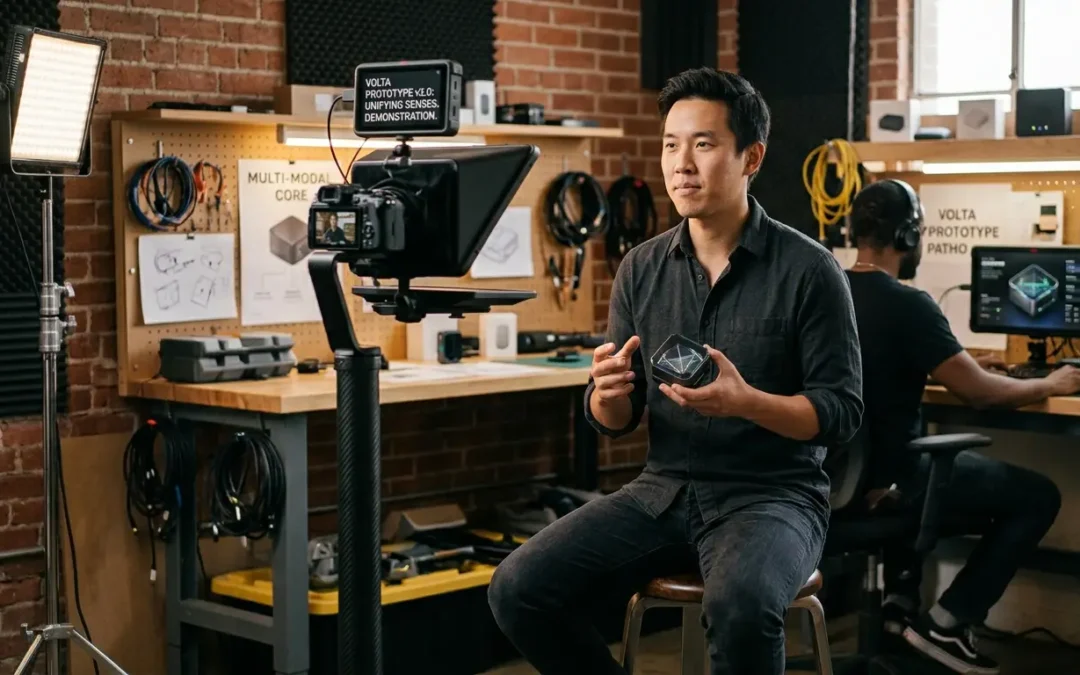
Show the product being used by a real person solving the problem you established in the opening. The demonstration does not need to cover every feature. It needs to answer the question every backer is asking: does this thing work?

If you are in a pre-production phase and the final product is not ready, a functional prototype shown honestly is better than a render presented as if it were the finished product. Backers are sophisticated. They can spot the difference, and they will back a transparent founder with a real prototype over a polished render with no proof of concept. The LeShuffler Kickstarter campaign is an example of this approach done well.

AD.JUST Production’s Kickstarter video production process includes a product review and demonstration planning session before the shoot, specifically to ensure the working demonstration is captured in a way that is clear, convincing, and true to what the product will be.

4. The Numbers, Explained Clearly

Backers want to know what their money is for. A Kickstarter campaign video that never explains the funding goal, what the funds will be used for, or when the product will ship leaves backers without the basic information they need to make a decision.

This does not require an investor-level breakdown. A single clear statement is enough: ‘We are raising $50,000 to fund our first production run, with delivery estimated in Q2 2027.’ That tells the backer what they are funding, confirms the product is heading to manufacturing, and sets a timeline expectation.

If your campaign has multiple tiers or stretch goals, a brief on-screen graphic showing the tier structure is more effective than a verbal description. Keep it simple. Backers who are interested in the details will read the campaign page. The video needs to make the ask feel credible and specific.

5. A Direct, Specific Call to Action

Every Kickstarter video ends the same way: with the call to action. But most end vaguely. ‘Back us today’ or ‘Support our campaign’ leaves the viewer knowing they should do something without knowing what that thing is or why they should do it now.

A strong Kickstarter video CTA is specific and time-aware. It names the early backer benefit if one exists, confirms the campaign end date or scarcity element if relevant, and tells the viewer exactly what to do next. ‘Click the back button to claim your early bird price of $79, available for the first 200 backers only’ is a CTA that converts. ‘Back us today’ is not.

The CTA should appear as on-screen text as well as voiceover. Viewers who are watching without sound need to see the ask to act on it.

What a Kickstarter Video Should Feel Like

A strong Kickstarter video feels like a direct conversation between a founder and the person most likely to care about this product. It is not a commercial. It is not a corporate explainer. It is a pitch from someone who built something they believe in, asking for support from people who have felt the same problem.

That tone requires a combination of authentic founder presence and professional production. A video that looks amateurish undercuts credibility even if the product is excellent. A video that is so polished it feels impersonal loses the human element that makes crowdfunding work.

AD.JUST Production is a Los Angeles video production company that specializes in Kickstarter campaign videos and product launch content. The production process is designed for founder-led brands that need professional execution without losing the authentic, direct energy that makes crowdfunding campaigns fund. Contact AD.JUST Production to discuss your campaign before your launch date arrives.

Get Your Campaign Video Right Before You Go Live

A Kickstarter launch window is short, and a video that fails to convert in the first few days will not recover. The five elements above are the minimum for a video that earns backer trust and drives early momentum.

AD.JUST Production produces Kickstarter campaign videos in Los Angeles with a production process built around what funders need to see. Contact us to discuss your campaign timeline and what the production needs to include.

How long should a Kickstarter video be?
2 to 3 minutes is the recommended range. Under 2 minutes often fails to build enough narrative trust. Over 4 minutes sees significant drop-off before the call to action. The first 30 seconds must establish the problem and the solution clearly enough to keep viewers watching.
Do Kickstarter backers watch the full video?
On average, about 30 to 40 percent of visitors who start the video watch it to completion. The drop-off is steepest in the first 15 seconds if the opening does not immediately address the problem the product solves. A strong first visual and a clear problem statement in the opening sentence significantly improve completion rates.
Should a Kickstarter video show the product being used or just explain it?
Both are necessary, but demonstration footage takes priority. Backers want to see the product solving a real problem in a real context, not hear claims about it. Explanation works best layered over demonstration, not as a standalone segment.
What does a Kickstarter video cost to produce in Los Angeles?
Most LA-produced Kickstarter videos with professional crew, proper lighting, and post-production fall between $3,500 and $9,000. A barebones shoot with minimal crew can go lower, but the quality difference is visible and tends to reduce backer confidence.
What is the most common reason Kickstarter videos fail to convert?
The product benefit is not shown in the first 10 seconds. Campaigns that lead with backstory, founding team bios, or generic lifestyle footage lose viewer interest before making the case for the product. Opening with a clear, specific problem and an immediate product demonstration consistently outperforms narrative-first structures.
Short-Form vs. Long-Form Product Video: What Actually Gets Watched in 2026

Short-Form vs. Long-Form Product Video: What Actually Gets Watched in 2026

In the short-form vs long-form product video question, short wins discovery and ads, and long wins the moment someone is close to buying. Most brands need one of each, cut from the same shoot.

Every platform has an opinion about how long your video should be, and every opinion is different. TikTok says keep it under 30 seconds. Amazon supports up to six minutes. Your agency suggests 90 seconds. Your designer wants a two-minute explainer.

The real answer is that length should follow context, not convention. What gets watched depends on where the viewer is in the buying journey, what platform they are on, and what decision the video is helping them make. This is not about short versus long. It is about matching the format to the job.

AD.JUST Video Production produces both short-form social video and longer e-commerce product videos for brands that sell across multiple platforms. The breakdown below reflects what actually performs, by platform and buyer intent.

1. What Short-Form Actually Means in 2026

Short-form works because it matches how people use social platforms. They are scrolling, discovering, and making split-second decisions about what to watch. A brand that can communicate its product's core benefit in the first three seconds, hold attention through the middle, and land a single clear message at the end can reach people who would never choose to watch a traditional ad.

According to TikTok for Business 2023 creative guidelines, ads under 15 seconds with captions and a visible product from the first frame outperform longer ads in both completion rate and click-through rate on the platform.

2. What Long-Form Actually Means in 2026

Long-form does not mean slow. It means the video is structured to answer more questions than a short piece can. A 90-second product video can show the product in three real-use scenarios, compare it to the alternative the buyer is considering, and still end with a clear purchase message. Length does not indicate depth or quality. A bad long-form video is just a bad short-form video with more filler.

3. Where Short-Form Wins

Brand discovery: When someone encounters your product for the first time in a social feed, a short video that communicates one clear, memorable benefit performs better than a full explanation. The goal is not to convert on the first view. It is to earn a visit to the product page.

Churu Bites: short vertical ad.
Aiper: short-form Reel for discovery.

Retargeting: Shoppers who have already visited your page or interacted with your brand respond well to short, benefit-focused clips that remind them of the specific feature they lingered on. Under 30 seconds works well here.

Paid social: Platform algorithms on TikTok and Instagram reward short, native-feeling content in paid placements. A 15-to-30-second clip that looks like organic content generally outperforms a polished 60-second brand video in paid short-form environments.

4. Where Long-Form Wins

Product pages and Amazon listings: A shopper on your product page is already engaged. They are comparing you against an alternative they have likely already evaluated. A 60-to-90-second video that shows the product working, addresses the most common objection, and ends with a visual summary converts better than a 20-second clip that leaves questions unanswered. According to Wyzowl's 2024 Video Marketing Statistics report, 89% of consumers say they have been convinced to buy a product or service by watching a brand's video. That number skews toward product page and listing video, not social discovery clips.

Viski: a longer brand piece for people already interested.

Kickstarter and crowdfunding: A campaign video without enough context fails. Backers want to see the founding story, the working product, and the ask. Two to three minutes is standard and expected. Any shorter feels rushed; any longer should be edited down.

5. Platform-by-Platform Breakdown

PlatformRecommended Length
TikTok (organic and paid)15 to 45 seconds
Instagram Reels15 to 60 seconds (sweet spot: 30 seconds)
YouTube pre-roll15 to 30 seconds (skippable after 5)
Amazon product listing60 to 90 seconds
DTC product page (hero video)90 seconds to 3 minutes
Kickstarter or crowdfunding campaign2 to 3 minutes
LinkedIn (B2B brand content)30 to 90 seconds

Recommended Product Video Length by Platform

PlacementTypical lengthFormat
TikTok and Reels ads9 to 30 seconds9:16 vertical
Organic Reels and TikTok15 to 60 seconds9:16 vertical
Amazon listing video30 to 90 seconds16:9 or vertical
Product landing page60 to 90 seconds16:9
YouTube review or demo2 to 10 minutes16:9

See our TikTok video size guide and how to make Amazon product videos for the full specs.

6. What E-Commerce Brands Should Produce First

Once that is in place, cut 15-to-30-second versions for paid social. This is not a separate production. A well-planned shoot produces source footage that can be edited into both the primary product video and the shorter social assets without going back to the studio.

AD.JUST Video Production structures shoots this way by default for e-commerce clients. The production plan accounts for social cutdowns before the shoot starts, so the final deliverable includes both the anchor product video and the platform-specific short-form assets.

Short-Form vs Long-Form Product Video: Intent Matters More Than Length

AD.JUST Video Production is a Los Angeles video production company that produces both short-form social media video and long-form e-commerce product videos. The production process includes a pre-production brief that defines the format, length, and platform strategy before the camera is ever turned on.

Need both from one shoot? See our social media video production and e-commerce product video services.

Get a quote for your video

AD.JUST Video Production is a Los Angeles and San Diego studio founded in 2014. We make product, e-commerce, social and corporate videos for brands like Aiper, Viski, Churu and Webflow, and one team handles the script, the shoot and the edit.

Tell us what you need and where it will run. We will send a plan and a price.

10+ years in LAVerified Amazon Ads Partner5.0 on Clutch · 12 reviews

Short-form vs long-form product video FAQ

What is considered short-form product video?

Generally under 60 seconds, with most platforms defining short-form as 15–60 seconds. Instagram Reels, TikTok, and YouTube Shorts all favor content in this range.

Does short-form or long-form video perform better for product sales?

It depends on the funnel stage. Short-form drives awareness and top-of-funnel engagement better. Long-form (90 seconds to 3 minutes) converts better for considered purchases where buyers need full feature context before deciding.

What is the best video length for a product landing page?

60–90 seconds is the sweet spot for most product landing pages. It is long enough to cover key benefits and a clear call to action, but short enough to hold attention on a page where purchase intent is already present.

Are there platform-specific length rules for product videos in 2026?

Yes. TikTok and Instagram Reels favor 15–45 second videos in discovery feeds. YouTube mid-roll ads perform best at 15–30 seconds unskippable. Amazon product videos should be 45–90 seconds. Product demo pages can support up to 3 minutes if the content is structured.

How do you decide between short-form and long-form for a specific product?

Consider price point and complexity. Low-cost impulse products convert well with short-form. High-ticket or technically complex products need longer formats to earn trust. Subscription products often benefit from both — short-form for awareness, long-form for conversion.

Remote Video Production vs Filming in Los Angeles: What Brands Should Know

Remote Video Production vs Filming in Los Angeles: What Brands Should Know

Remote video production means you ship your product to a studio, watch and approve the shoot over a live video feed, and get the edits online. For product, Amazon and e-commerce videos it usually works as well as being on set, and it saves you the travel.

A lot of our clients at AD.JUST never come to Los Angeles. They send the product to our studio, join the shoot from their office, and review edits online. Others need us on location in LA or San Diego. Here's how to tell which you need.

How a remote shoot works

  1. Planning call. We agree on the shot list, the look and the deliverables.
  2. You ship the product. Ideally two or three units, so a scratch or a dead battery doesn't stop the day.
  3. Shoot day. You watch on a live feed and approve key shots as we go.
  4. Edit and review. You comment on the cuts online. Usually two rounds of notes.
  5. Delivery. Final files for your listing, store and ads, plus the product shipped back if you need it.

The live feed is the part people worry about, and it's usually the easiest. You see what the camera sees, hear the crew, and can ask for a different angle or a tighter shot while the set is still lit. Most clients don't watch every minute. They join for the first setup to agree on the look, drop in for the key shots, and leave the crew to it in between. Time zones are worth planning around: if you're on the East Coast or in Europe, ask for the hero shots to be scheduled early in the LA day so you can watch them live.

Product work filmed in our LA studio for brands across the US.

When remote video production works best

  • Product, Amazon and e-commerce videos where the product is the star
  • How-to and setup videos
  • Catalogs with many SKUs, where a steady studio setup keeps every video consistent
  • Ad versions and social cuts from a single shoot day

Viski is a good example: we made 100+ e-commerce videos in four months, mostly with products shipped to us. See our e-commerce product video page.

The reason remote works so well for product video is simple: the product is the subject, not a person or a place. A studio already has the lighting, backdrops, surfaces and props a product shoot needs. Flying your team in to stand behind a monitor adds cost but rarely changes the result, as long as the brief is clear and someone on your side can make decisions on the live call.

When it's worth being on set, or filming on location

  • Brand films and commercials with actors, where tone matters
  • Shoots at your own facility, store, office or event
  • Founder interviews and testimonials
  • Anything with a client who needs to sign off on talent or wardrobe in person

For those, we film on location across Los Angeles, San Diego and Southern California, and some clients fly in for the day.

Location work is about things a studio can't fake: your real factory floor, your store on a busy Saturday, your team in their actual office, a product used outdoors in real conditions. For these, a local crew that knows the area saves time on permits, parking, travel between locations and finding backup spots if something falls through. Southern California has a deep pool of crew, talent and locations, which is why so many brands shoot here even when their headquarters are elsewhere.

Los Angeles vs remote video production, side by side

Remote studio shootOn location in LA
Best forProduct, Amazon, catalog, how-toBrand films, people, places, events
Your travelNoneOptional, some clients attend
Extra costsShipping the productLocations, permits, travel between sites
Consistency across many SKUsHigh, same setup every timeVaries with each location
Control over the lookVia live feed and approvalsIn person on set

Many projects use both. The product shots happen in the studio with the client watching remotely, and a second day on location captures people, lifestyle moments and the brand story. Splitting it this way often costs less than trying to do everything on location.

Choosing a studio for remote video production

Since you won't see the space in person, ask more questions up front. Ask for a short walkthrough video of the studio or a video call from the set. Ask what surfaces, backdrops and props they keep in house, and what they'd need to buy or rent for your shoot. Ask how they receive and store client products, and how they handle returns. Ask to see product videos they shot remotely for other brands, ideally in your category.

Then look at how they run the planning call. A good remote studio asks about your customers, your listing and your existing content before talking about cameras. They suggest a shot list instead of waiting for one. They're clear about what the live feed will show and when you'll get the first cut. If those conversations feel easy, the shoot day usually does too. Independent reviews on sites like Clutch help, because they show how a studio works with clients it never met in person.

What it costs

A remote studio shoot usually costs less than a location shoot, since there are no location fees and no travel. Shipping and returning the product is the only extra. For current ranges, see our video production pricing, and for crew rates, our videographer prices guide.

The bigger saving is usually on your side. No flights, hotels or days out of the office for your team, and no trying to fit a shoot around everyone's travel. For brands that need regular content, like a new batch of listing videos every few months, remote shoots make a steady schedule much easier to keep.

Tips for a smooth remote shoot

  • Send more than one unit, and any props you want to see
  • Share brand guidelines and reference videos before the call
  • Name one person who can approve shots on the day
  • Agree on file formats for each platform up front
  • Pack products in their retail packaging if you want unboxing shots
  • Include a note on anything fragile, any parts that are easy to lose, and how the product should be set up
  • Tell the studio if products need to come back, and where

What to put in a remote shoot brief

A good brief fits on one page: what the product is and who buys it, where the videos will run, the list of deliverables with lengths and aspect ratios, two or three reference videos you like, brand colors and fonts, things to avoid, and the name of the person who approves on the day. The more decisions are made before the shoot, the less you'll need to direct over the live feed, and the smoother the day goes.

Common remote shoot problems, and how to avoid them

  • Products arrive late or damaged. Ship early, insure the package and send spares.
  • Too many people on the live call. Several people giving notes at once slows the day down. Pick one decision-maker.
  • The brief changes on the day. New ideas are fine, but big changes mid-shoot can cost you shots you planned. Save them for a second shoot or an edit.
  • Unclear deliverables. If nobody said "we need a vertical version", it may not have been framed for one. Write it down.

If you're planning Amazon content, read how to make Amazon product videos. FedEx and UPS both offer insured shipping for fragile items, and FilmLA handles permits if your shoot needs a public location in Los Angeles.

Get a quote for a remote shoot

AD.JUST Video Production films products for brands across the US from our Los Angeles studio. Ship us the product, watch the shoot on a live feed, and get the final files online.

Tell us what you sell and where the video will run. We will send a plan and a price.

Ship your product to LAWatch the shoot live5.0 on Clutch · 12 reviews

Remote video production FAQ

What is remote video production?

You ship the product to a studio, watch the shoot on a live video feed, approve shots, and review edits online, without traveling.

Can I watch a remote shoot live?

Yes. We share a live feed from the camera so you can approve key shots during the day.

Is remote video production cheaper?

Usually, for product and e-commerce work. There are no location fees or travel. See our video production pricing.

Do you work with brands outside California?

Yes. Many of our clients are in other states and countries and ship products to our Los Angeles studio.

7 Amazon Listing Video Mistakes That Cost You Sales

7 Amazon Listing Video Mistakes That Cost You Sales

The Amazon listing video mistakes that hurt sales most are a slow start, an edit that only works with sound on, and a product that isn't clearly visible in the first frame. They're all easy to fix before you shoot.

At AD.JUST we make Amazon product videos for brands like Viski, Aiper and Airrobo, and we review a lot of listing videos made by others. The same seven problems come up again and again.

1. No hook in the first three seconds

Shoppers scroll a listing fast. If the first seconds are a logo, a slow pan or an empty room, most of them never see the product. Open on the product doing its main job.

Think about how people actually reach your video. They land on the listing from search, glance at the main image, swipe through a few photos and tap the video thumbnail. By then they already know roughly what the product is. What they want is to see it work. A pool cleaner climbing a wall, a tumbler being filled and turned upside down, a wallet folding shut with cards inside. That first moment should answer "does this do what I need?" before they've had time to get bored.

A useful habit: write down the single most important thing a buyer needs to see, then make that the opening shot. Everything else in the video supports it.

2. An edit that needs sound

Many people watch listing videos on mute, especially on phones. If the key benefit only exists in the voiceover, it's lost. Put the main points on screen as short text and let the visuals carry the story.

On-screen text works best when it's short and specific. "Fits 12 cards" is better than "Spacious design". "Charges in 2 hours" is better than "Fast charging". Keep each line to a few words, leave it on screen long enough to read twice, and keep it away from the edges of the frame where it can get cropped on different devices. Voiceover is still fine for people who turn sound on, but the video should make complete sense without it.

3. The product isn't clear in the opening frame

The first frame often works as the thumbnail. A wide lifestyle shot where the product is small doesn't tell anyone what they're about to watch. Start close.

Lifestyle shots still have a place, just later in the video. Once the buyer knows what the product is, a shot of someone using it at home shows scale and context. The order matters: product first, life second. Reversing it is one of the most common reasons a nice-looking video doesn't move the conversion rate.

Viski: the product is the first thing you see.

4. Running too long

A listing video is not a brand film. Most product videos land best between 30 and 90 seconds. If you need more, make a second video for setup or care instead of stretching one.

Look at the structure of a typical 60-second listing video that works: about 5 seconds of hook, 30 to 40 seconds of key features shown in use, 10 seconds of close details or what's in the box, and a few seconds of the product in its setting at the end. No long logo animation, no outro card with your website, no "subscribe" prompt. Amazon shoppers are on Amazon. They don't need to be sent anywhere else, and Amazon doesn't allow it anyway.

5. Claims and offers that get the video rejected

Prices, discounts, "best seller" style claims and health or performance claims you can't prove are common reasons for rejection. Keep the video about what the product does and show it doing it. Check the current rules in Seller Central before you finalize the script.

Other things that commonly cause trouble: mentioning competitors by name, showing other brands' logos in the background, references to shipping speed or delivery promises, links or calls to visit your own website, and before-and-after claims that suggest medical results. A rejected video costs you time, and if your launch is on a deadline, that time is the expensive part. Have someone read the script against Amazon's current guidelines before the shoot, not after the edit.

6. Wrong file specs

Amazon's guidance for seller-uploaded videos lists MP4 or MOV files up to 1080p and a maximum of 5 GB. You can shoot in 4K, but export to the listed spec. Amazon's own guide to product videos walks through upload and display rules.

Other spec details trip people up too: very dark or low-contrast edits that look muddy on phones, audio that's much louder than other videos on the page, and black bars from exporting the wrong aspect ratio. Watch the final file on an actual phone before uploading, not just on a big monitor.

7. One video for every placement

A listing video, a Sponsored Brands video ad and an A+ video do different jobs. Ads need the hook in the first second and a tighter edit. Plan both from one shoot so you get the right cut for each place.

The listing video can afford to explain. A Sponsored Brands video ad shows up in search results while people are comparing options, so it has a few seconds to make someone stop and look. That usually means a shorter cut, often 15 to 30 seconds, built around one benefit and a strong first frame. A+ and Brand Store videos can be longer and more about the brand and the range. All three can come from the same shoot day if the shot list covers them.

Sani-Powder: listing video built for mute viewing.
Travando: product close from frame one.

Smaller mistakes that still cost sales

Messy hands and dusty products. In close-ups, fingerprints, chipped nail polish and dust on a glossy surface are all visible, and they make a product look cheap. A few minutes of prep on set saves the edit.

The wrong scale. If the buyer can't tell how big the product is, they'll guess, and some will guess wrong and return it. Show it in a hand, on a counter or next to a familiar object.

Showing features nobody asked about. Your engineering team might be proud of a detail that buyers never mention. Your reviews and the questions section tell you what people actually care about. Lead with that.

Stock music that fights the product. Upbeat generic music over a calm, premium product feels off. Pick music that matches the brand, keep it low, and make sure you have the license for commercial use on Amazon.

Bonus mistake: never updating the video

Listings change. Packaging gets redesigned, a new color launches, customers start asking a question nobody expected. A video made two years ago might be showing an old box or missing the feature people now care about most. Check your listing video at least once a year against your latest reviews and questions. Often a re-edit of existing footage with new text is enough, and it costs far less than a new shoot.

How to tell if your listing video is working

Amazon gives brand-registered sellers some video performance data, and you can compare conversion rates before and after a new video goes live. Keep other changes to a minimum while you test, so you know what made the difference. If your listing has several videos, check which one is in the first slot. That's the one most shoppers see. For ads, compare click-through rate and cost per sale between video and static creative. Video usually wins, but the edit and the opening frame make a big difference.

A quick pre-upload checklist

  • Product visible in the first frame
  • Main benefit shown in the first three seconds
  • Every key point readable on mute
  • 30 to 90 seconds
  • No prices, promotions or unprovable claims
  • Exported as MP4 or MOV at up to 1080p

Getting these right pays off. On our e-commerce product video page we share client results such as 4x ROAS on Amazon PPC with Sponsored Brands video. For a full walkthrough, read how to make Amazon product videos.

Get a quote for Amazon product videos

AD.JUST Video Production is a Verified Amazon Ads Partner in Los Angeles. We made 100+ product videos in 4 months for Viski, plus listing and ad videos for Aiper, Airrobo and DIGGS.

Send us your ASIN or product page and we will send a plan and a price.

Verified Amazon Ads Partner100+ videos for Viski5.0 on Clutch · 12 reviews

Amazon listing video FAQ

How long should an Amazon listing video be?

Most work best between 30 and 90 seconds. Use a second video for setup or care instructions instead of making one long video.

Why was my Amazon video rejected?

Common reasons are prices or promotions in the video, claims you can’t prove, and files that don’t meet the upload specs. Check the current rules in Seller Central.

Do Amazon listing videos need sound?

They should work without it. Many shoppers watch on mute, so put key points on screen as short text.

Can you fix an existing Amazon video?

Often, yes. We can re-edit your footage with a stronger opening and on-screen text, or reshoot the key shots. See our Amazon product video production page.

Call Now Get a Quote